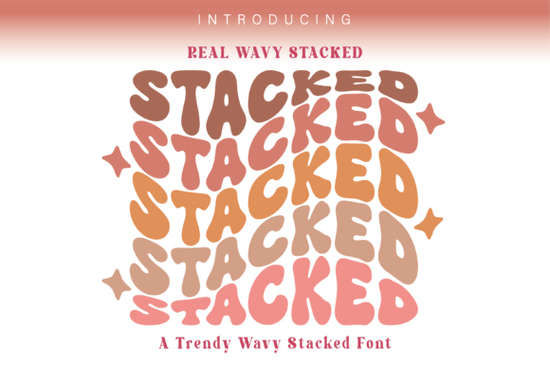
If you need a quick way to add retro charm to your layouts, Real Wavy Stacked Font delivers exactly that. This groovy display typeface includes a built-in stacked effect, so you can create trendy, layered text without manually warping letters. It comes with seven helpful glyphs that let you swap characters and keep your designs fresh. Whether you are making t-shirts, sticker packs, or social quotes, the font handles the layout work while you focus on color.
What makes this groovy stacked typeface stand out?
Most retro fonts require extra steps to achieve a layered look. You usually have to duplicate text, shift it downward, and fix awkward overlaps. This typeface removes that friction by baking the stacked effect directly into the letterforms. The wavy baseline gives each word a relaxed feel, while the consistent weight keeps everything readable. Designers on tight deadlines will appreciate the quick results, and crafters will find it cuts cleanly on vinyl.
Which projects work best with a wavy stacked layout?
The playful rhythm of this lettering fits naturally into casual designs. It shines where you want personality without sacrificing clarity:
- Print-on-demand apparel: Vintage quotes, festival merch, and relaxed lifestyle brands
- Digital stickers and planners: Weekend headers, mood trackers, and habit labels
- Small business packaging: Thank-you cards, product tags, and seasonal promos
- Social templates: Story overlays and Pinterest pins that need quick visual pop
If you prefer a softer, hand-painted vibe for certain layouts, you might also explore a brush-style display option when your project calls for organic strokes. For sweeter, pastel-themed work, a candy-inspired lettering set can complement the retro mood nicely.
How do you get the most out of the seven included glyphs?
The extra glyphs are practical tools that help you avoid repetitive letter shapes and fix spacing. Open the font file in your design software and check the glyph panel to see the alternates. Swapping a single character can change the rhythm of a word, especially with repeating letters.
- Use alternates on the first and last letters to frame your phrase
- Replace middle vowels when words feel too blocky
- Test different combinations before locking in your color palette
- Keep line spacing tight so the stacked effect stays connected
When you need a cleaner baseline for contrast sections, a straightforward stacked alternative works nicely as a secondary typeface. Pairing a wavy display font with a structured companion keeps your hierarchy clear.
What should you know before adding it to your design toolkit?
Before downloading any display font, check a few practical details. Make sure your software supports OpenType features if you plan to use the alternates freely. Most modern programs handle them well, but older versions might require manual copy-pasting. Also, review the license terms carefully. Personal projects usually have fewer restrictions, while commercial work often requires an extended license. You can find Real Wavy Stacked Font on Creative Fabrica, where licensing details are clearly listed.
If your brand leans into nostalgic palettes, you might also browse a retro duo lettering collection for matching script combinations. For memory-book layouts, a soft nostalgic display font can add warmth without overpowering your images.
How do you keep stacked text readable across different sizes?
Stacked lettering looks great at headline sizes, but it can become heavy when scaled down. Stick to short phrases or single words. Avoid long sentences, and give your text breathing room. High-contrast color pairings work best, especially when the bottom layer uses a darker shade. If you plan to cut the design on a craft machine, convert the text to outlines first and check for overlapping paths. A quick test cut on scrap material saves time.
Before you finalize your next project, run through this quick checklist:
- Confirm your software supports the included glyph alternates
- Test the font at actual print size to check readability
- Verify your license covers commercial or POD use if applicable
- Convert text to outlines before sending files to print or cut
- Save a version with editable text for future tweaks
Keep your phrases short, lean into bold color contrasts, and let the built-in stacked effect do the work. When you follow these simple steps, your designs will look polished, print cleanly, and stay on brand without extra editing time.
Learn More Free & Bold Funky Grunge Fonts for Creative Projects
 Simple Stacked Font Designs & Creative Applications
 A Strawberry Milk Candy Font Design Guide
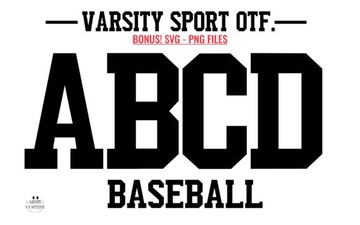 Army Font Designs for Varsity Sport Projects
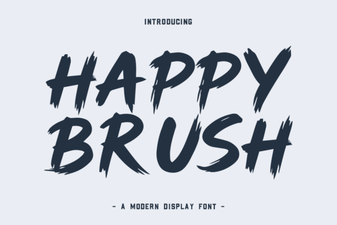 A Creative Brush Font for Modern Designs
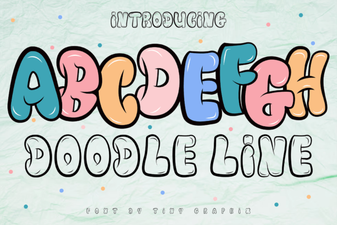 Doodle Fonts for Creative Projects