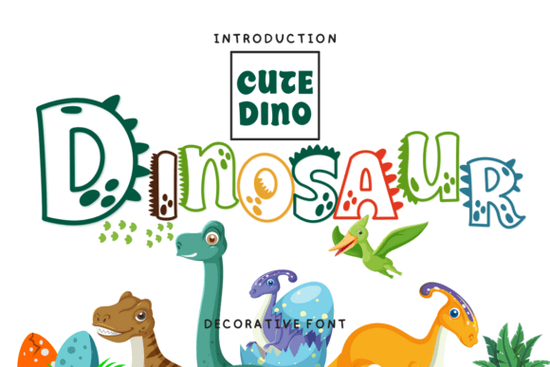
If you need a playful display typeface that adds immediate personality to craft files and small-business branding, the Dinosaur Font delivers exactly that. It is a decorative lettering style built for short headlines, product labels, and handmade projects where standard sans-serif or script options feel too plain. Designers, print-on-demand sellers, and hobby crafters regularly choose this kind of typeface to give mugs, stickers, nursery art, and greeting cards a lighthearted, hand-drawn feel without spending hours drawing custom letters from scratch.
What makes this typeface work for everyday craft projects?
The letterforms carry a chunky, slightly irregular structure that mimics casual hand-lettered signage. That uneven baseline and rounded terminals make it read as friendly and approachable, which is why it fits so well on children’s products, party supplies, and casual apparel. When you set it at larger sizes, the decorative details stay crisp without turning muddy on standard home printers or heat-transfer vinyl. You can scale it down for small tags, though it performs best when reserved for short phrases rather than long blocks of text.
Because the shapes are bold and self-contained, the font holds up nicely on textured materials like heavy cardstock, canvas totes, and ceramic blanks. If you run a small shop or sell digital templates, you will notice that customers respond well to typefaces that feel handmade but still maintain clean edges for cutting machines and sublimation prints.
Which software and file types do you actually need?
Most decorative fonts from Creative Fabrica ship with standard OTF and TTF desktop files, along with web-ready formats when available. Those two files cover nearly every design program you might use, including Cricut Design Space, Silhouette Studio, Canva, Adobe Illustrator, Photoshop, and Affinity Designer. Installation is straightforward: download the zip folder, extract the font files, and double-click to install on Windows or Mac. Once activated, the typeface will appear in your software’s font menu alongside your system fonts.
If you plan to sell physical items or digital templates, always review the license included with your download. Commercial licenses typically allow you to apply the lettering to finished products like shirts, stickers, and printed cards, but they usually restrict reselling the raw font files or embedding them in editable templates without an extended license. Keeping a copy of your license receipt in a dedicated project folder saves time if a marketplace ever asks for proof of usage rights.
How do you pair it without making the layout look crowded?
Decorative display fonts need breathing room. The simplest approach is to use the Dinosaur typeface for your main headline or product name, then pair it with a clean, neutral sans-serif for supporting text. A light or regular weight font like Inter, Montserrat, or Open Sans keeps the overall composition balanced. You can also tuck a subtle script underneath for a handmade accent, but limit it to one or two words so the design stays readable.
When arranging your layout, try these quick adjustments:
- Increase letter spacing slightly if the characters feel too tight at smaller sizes.
- Use a solid background or soft texture instead of busy patterns that compete with the letter shapes.
- Test your design in grayscale first to verify contrast before adding bright colors.
- Keep line length short; three to five words per line usually works best for display type.
If you enjoy browsing similar styles for future projects, you might want to explore other options in the decorative typeface collection to see how different weights and alternates can shift the mood of a layout.
Where does it perform best across print and digital products?
This style shines on items that benefit from a casual, upbeat tone. Think birthday banners, nursery wall art, school supply labels, and seasonal packaging. For print-on-demand sellers, it translates well to t-shirt chest prints, tote bag graphics, and sticker sheets because the bold strokes survive washing and handling without fading into the background. On digital platforms, the same lettering works for Pinterest pins, Instagram story templates, and Etsy listing thumbnails where you need instant visual hierarchy.
One practical tip for crafters: when cutting vinyl or heat-transfer material, mirror your design before sending it to the machine, and use a medium cut pressure to preserve the rounded edges. If you are sublimating onto mugs or tumblers, run a quick test print on plain paper to check how the ink spreads on your specific blank. Small adjustments to contrast or outline thickness can prevent the letters from looking washed out after the heat press cycle.
You can preview more variations and check current licensing options for the Dinosaur Font directly on the marketplace.
Quick setup checklist before you start designing
- Download and extract the font files, then install OTF or TTF on your system.
- Restart your design software so the new typeface appears in the menu.
- Verify your license covers the intended use (personal, small business, or POD).
- Create a test layout at actual print size to check readability and spacing.
- Export a sample as PNG or PDF and review it on both screen and paper before final production.
Keep this workflow handy for your next batch of cards, apparel, or digital templates, and you will save time while keeping your typography clean and consistent.
Learn More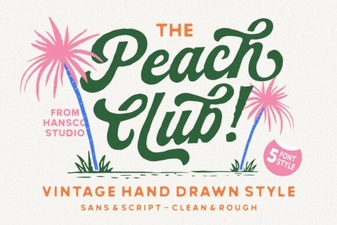 Peach Club Font: a Creative Design Resource
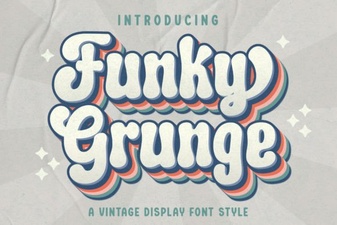 Free & Bold Funky Grunge Fonts for Creative Projects
 Simple Stacked Font Designs & Creative Applications
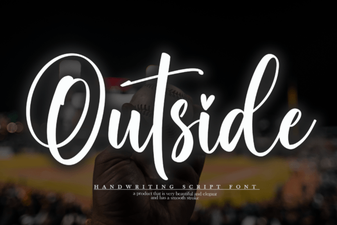 Free Download & Ideas for Creative Font Use
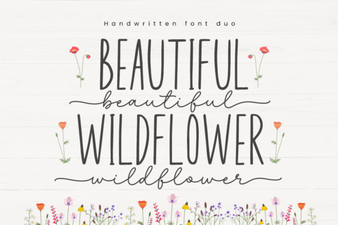 Beautiful Wildflower Duo: a Creative Font Pair
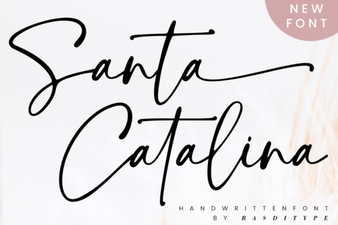 Santa Catalina Font for Creative Projects